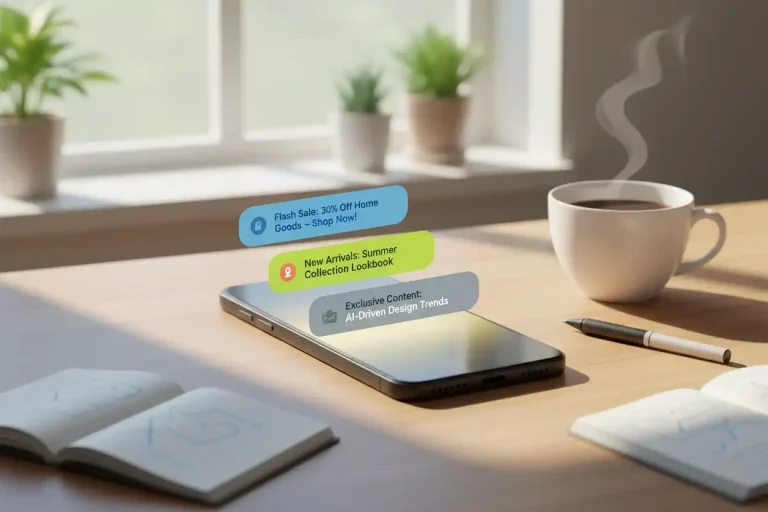
When it comes to grabbing a user’s attention, few tools are as immediate as the humble push notification. That familiar buzz or “ding” breaks the digital silence, inviting action—or, if overused, risking a swift trip to Do Not Disturb. Push alerts done right can drive engagement, sales, and loyalty. Done wrong? They’ll have users reaching for the opt-out.
This guide covers the essentials: What push notifications are, timing mastery, messaging best practices, avoiding fatigue, A/B testing, tools, and measurement. By the end, you’ll craft dings that deliver dollars without the drama. Let’s notify wisely.
Step 1: What Are Push Notifications?
Push notifications are short, pop-up messages sent to users’ lock screens via apps or web browsers. They bridge the gap between your brand and your audience, triggering real-time responses: a flash sale tap, a breaking news read, a cart recovery save.
Mobile apps, web browsers, and even desktop platforms now support push alerts. The immediacy is unmatched—over 90% of smartphone owners enable push notifications for at least some apps, giving brands direct access with just the right message.
Step 2: The Power (and Perils) of the “Ding”
Push notifications can boost app retention by up to 180% and double average app sessions. Conversion rates on timely, relevant pushes can far exceed email or organic social notifications.
But with great power comes great responsibility. Too many dings, the wrong timing, or generic blasts cause notification fatigue—or outright uninstalls. The goal? Drive dollars, not drama. Here’s how.
Step 3: Timing is Everything
Not all moments are created equal. The smartest marketers send push notifications when the message matches the moment:
- Early evening (5-7pm) often delivers higher engagement, when work winds down but before digital fatigue sets in.
- Weekends can be effective for lifestyle, events, or promotions, but avoid overloading users’ downtime.
- Time-zone targeting is critical—tailor send times to user locations for maximum relevance.
Consider the context, too. If you’re nudging a user to complete a purchase, hit them near payday or after payday reminders. For news or alerts, be prompt but never intrusive (no midnight dings unless it’s essential).
Step 4: Messaging Best Practices
With only a sentence or two to work with, every word must earn its keep.
Be Personal and Specific:
Personalized notifications perform 4X better than generic ones. Use names, preferences, or recent behaviors when possible. Instead of “Take another look,” try “Sam, your blue trainers are back in stock!”
Create Real Urgency—Without Gimmicks:
“Ends today! 30% off all headphones” works because it’s direct and actionable—no cryptic codes required. Set real deadlines, and don’t recycle old messages.
Make It Worth the Disruption:
Only send pushes with clear value: app updates, security alerts, exclusive content, or timed promotions. Don’t alert users just to boost stats.
Respect the Opt-Out:
Always provide clear options to manage notification frequency or topics. Empowered users stay engaged far longer than captive ones.
Step 5: Avoiding Opt-Out Fatigue
Balancing frequency and relevance is the difference between being a welcome nudge and a daily nuisance:
- Limit pushes to 2–3 per week unless content is hyper-relevant.
- Let users select preferences: sales, content, order status, or silence.
- Monitor opt-out and uninstall rates—sudden spikes signal it’s time to rethink.
Push should enhance the user’s experience, never interrupt it. Each “ding” must feel like a personal tip, not a corporate megaphone.
Step 6: Power Up with A/B Testing
Small changes can make big differences in engagement. Run A/B tests on:
- Notification wording: “Sale ends tonight” vs. “Just for you: 20% off”
- Timing: Friday afternoon vs. Saturday morning
- Content: generic promo vs. product recommendation
Track open rates, conversions, and long-term retention by group. One e-commerce brand found that adding a first name to the alert increased tap-through rates by 17%. Testing removes guesswork, helping turn good notifications into great ones.
Step 7: Top Tools for Managing Push
The right tools make push notification campaigns easy, automated, and data-driven:
- OneSignal: Feature-rich, cross-platform with great segmentation and testing tools.
- Firebase Cloud Messaging: Built for developers; integrates with apps and web, scalable for all sizes.
- PushEngage: Easy setup for web notifications (great for blogs and online stores).
- Airship (formerly Urban Airship): Advanced targeting and automation, suited for larger enterprises.
Most platforms now offer A/B testing, analytics dashboards, and GDPR compliance out of the box.
Step 8: Measuring What Matters
Don’t get distracted by “sent” counts. Focus on:
- Delivery Rate: Make sure users actually receive alerts.
- Open/Tap Rate: See who takes action.
- Conversion Rate: Track actual redemptions or sales.
- Uninstall/Opt-Out Rate: Sharp increases reveal annoyance—adjust accordingly!
Layer these insights with customer journeys: Are push receivers spending more? Coming back sooner? If not, revisit your strategy.
Wrap-Up: The Real Secret: Value Over Volume
Push notifications, when thoughtfully timed and crafted, are a gentle nudge—not a shove. The brands that win with push are the ones who send less but mean more. Make every ding a welcome surprise, and you’ll grow engagement (and revenue) without drama or digital fatigue.